How to Make Gugugaga Penguin AI Videos
Three paths from still image to short clip. Gugu Gaga Penguin and Gugugaga Penguin are two spellings for the same Endmin / Endministrator meme character.
Official entry pages for PixVerse, Kling AI, Dreamina/Seedance, Hailuo, Runway, and the ComfyUI/LTX-Video repositories were re-checked on July 9, 2026. This was an availability and workflow check; credits, model labels, and export limits can vary by account and region.
Sources: PixVerse official site · Kling AI · HitPaw AI Video Generator · HitPaw Gugugaga AI Video page · Dreamina (Seedance 2.0) · Hailuo AI · Runway Gen-3 retirement and replacements · LTX-Video GitHub · ElevenLabs
Choose Your Path
Not sure which tool? See our full comparison → or browse original meme examples first.
Path 1: Free with Seedance 2.0
Best for: beginners who want results today at $0
What You Need
- ✓ A free Dreamina or Jimeng account (sign up takes 2 minutes)
- ✓ One character image (use the prompt below to generate it free)
- ✓ No GPU, no installs, no paid subscription
Generate the Character Image
Use an AI image generator to create your penguin base image. Stable Diffusion + Endmin Penguin LoRA gives the most consistent results. For the quickest start, paste this prompt into Midjourney or any image AI.
chibi penguin girl, black and white penguin costume, bright yellow beak and feet, black bangs, silver hair clips, huge expressive gray eyes, cute anime style, white background, simple clean design, adorable pose, soft lighting Example Result
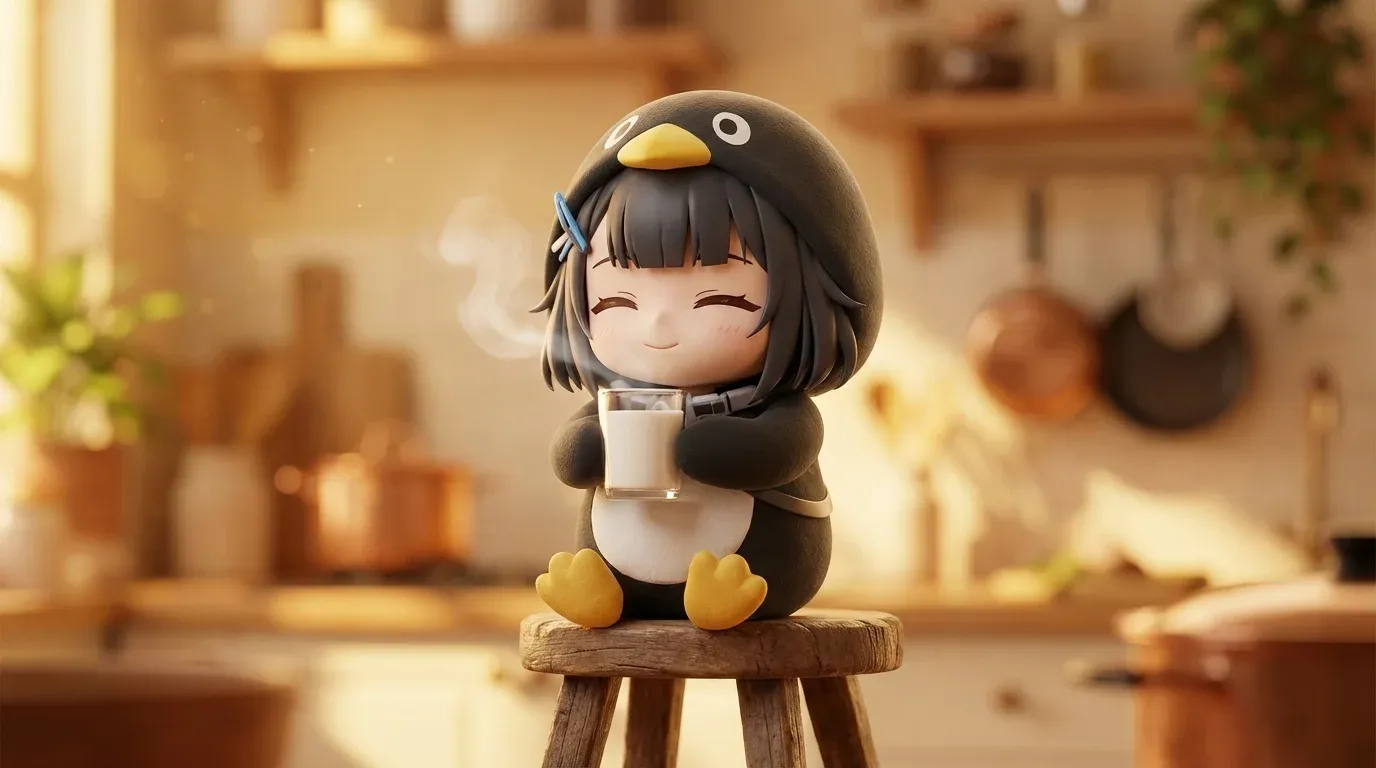
Generated using the image prompt above with Stable Diffusion + LoRA
Fan-created AI art. Not official game content.
Want 50+ scene variants? Get the full prompt collection →
Upload to Dreamina (Seedance 2.0) and Animate
- 1. Log in and open AI Video (Seedance 2.0)
- 2. Upload your penguin character image (white background recommended)
- 3. Paste a motion prompt (templates below), select duration (5–8s), and hit Generate
- 4. Wait ~60 seconds, then download the MP4
Motion Prompt Templates
The cute chibi penguin girl tilts her head, blinks her big eyes, and waddles forward with tiny steps. She holds a glass of milk with both hands and takes a small sip. Soft ambient lighting, smooth animation. The chibi penguin girl looks up slowly, her big eyes going wide with surprise. She raises both tiny wings slightly and tilts her head to the side. The camera stays still. Gentle bounce movement, no scene change. The chibi penguin girl sways from side to side with tiny happy steps, her wings flapping lightly. She smiles with her eyes and does a small spin. Loop-friendly motion, white background, soft lighting. Motion Prompt Tips
- › Be specific about the action — "tilts head" beats "moves"
- › Avoid complex scene changes — single-location clips generate cleaner
- › Keep clips under 15 seconds for best quality on free tier
- › White background in source image = far fewer artifacts
Dreamina (Seedance 2.0) Walkthrough
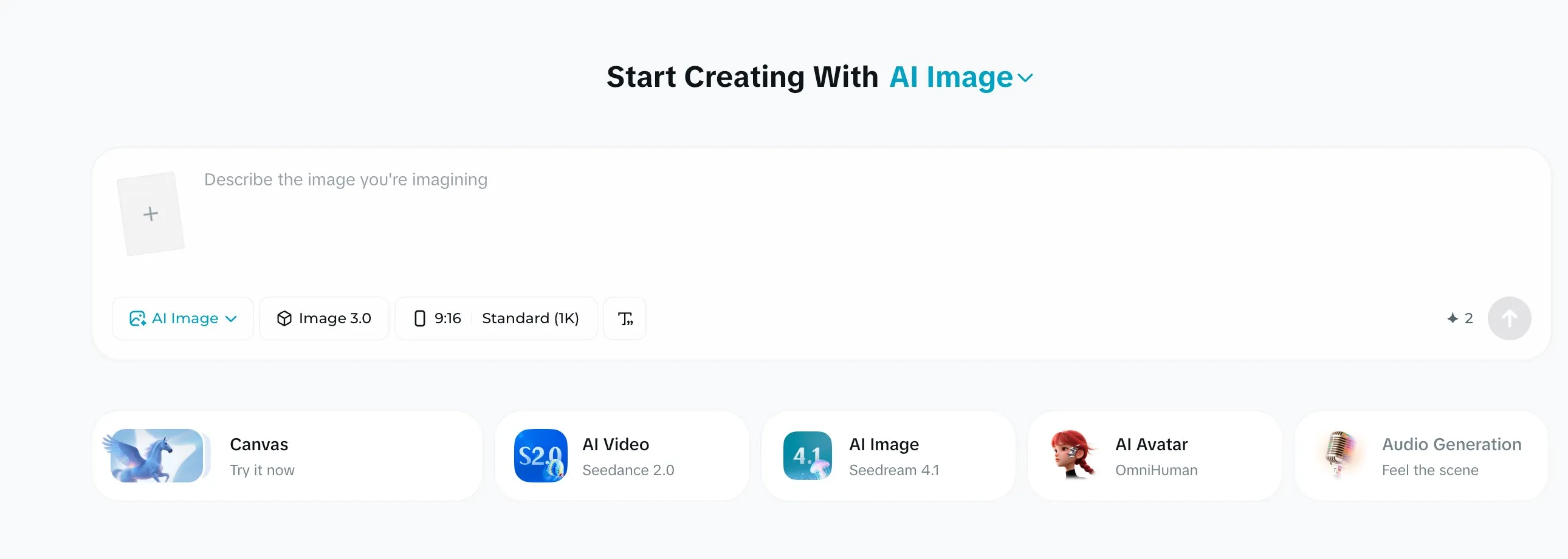
Step 1 — On Dreamina, open AI Video (powered by Seedance 2.0)
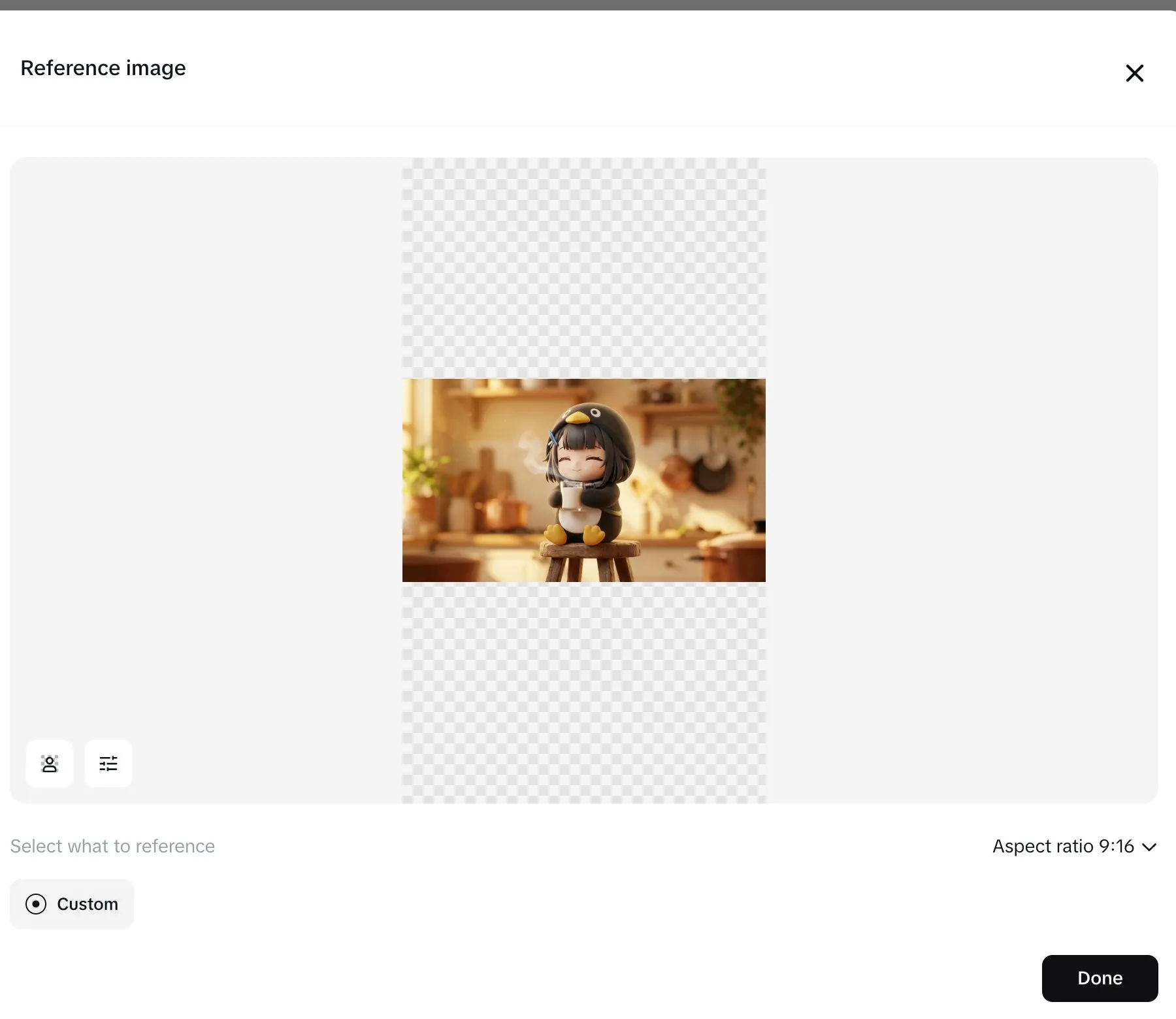
Step 2 — Upload your penguin image as the reference
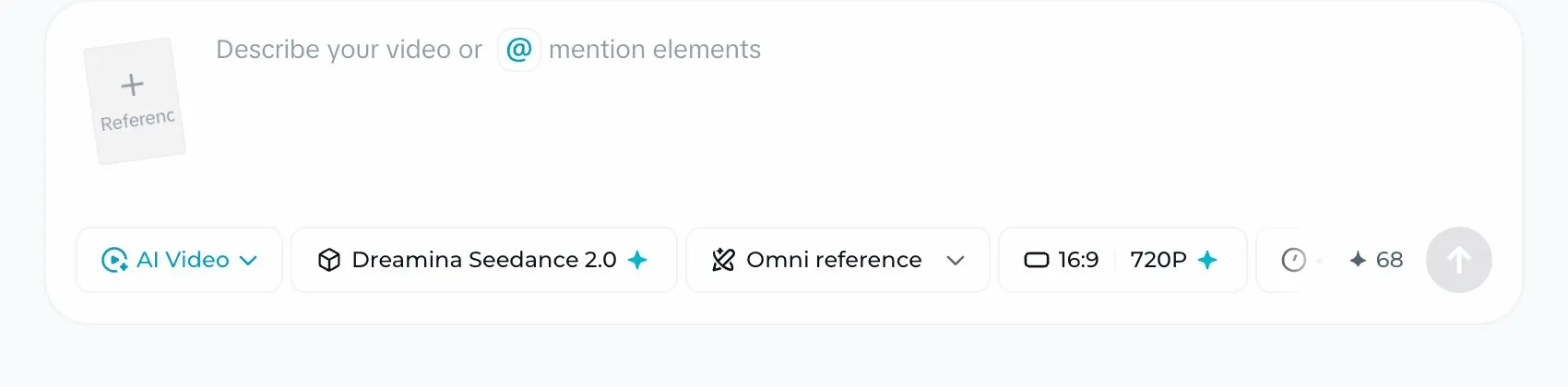
Step 3 — Add your motion prompt, keep Seedance 2.0 selected, then hit Generate
Common Issues & Fixes
Character inconsistency between frames
Fix: use a plain white background in your source image and keep the motion description simple. Complex poses confuse the diffusion model.
Limbs or beak distorting mid-clip
Fix: simplify the motion description. "Tilts head and blinks" produces fewer artifacts than "runs across the frame and jumps."
Flickering or strobing effect
Fix: add "smooth animation, no flickering, soft lighting" to the end of your motion prompt, and reduce clip length to 5 seconds.
Region Availability
China users: jimeng.jianying.com (即梦). International users: dreamina.capcut.com (Dreamina — the international 即梦 / Seedance 2.0 home).
Path 2: Quick Start with PixVerse / Kling AI
Best for: people who want the least friction to a finished clip
PixVerse
Best OverallCharacter-consistent image-to-video with motion templates. Free credits cover your first generations.
Kling AI
Most ConsistentReliable character consistency with relatively low setup friction.
Seedance 2.0
Useful when you want smoother motion and less manual cleanup. Free to try on Dreamina (即梦 international).
Hailuo AI (MiniMax)
Good for longer animations if you want more movement in a single shot.
Runway
ProProfessional hosted option when cinematic output and polish matter. Use the current model shown in the dashboard.
We rechecked the official entry pages on July 9, 2026. PixVerse, Kling AI, Dreamina/Seedance, Hailuo, Runway, and ComfyUI with LTX-Video remained available workflow families. Runway retired Gen-3 Alpha after July 8; Gen-3 Alpha Turbo was scheduled to retire after July 30, with Gen-4.5 listed as the replacement for current text-to-video and image-to-video work. Credits, model labels, clip lengths, watermark rules, and export limits can vary by account and region, so confirm them in the selected tool dashboard before starting a batch.
Kling AI Workflow
- 1. Register at klingai.com — free tier gives daily credits
- 2. Go to Image to Video, upload your penguin image
- 3. Save the image as a Character Reference for consistent results across multiple generations
- 4. Paste a motion prompt, set aspect ratio to 9:16 for TikTok, generate
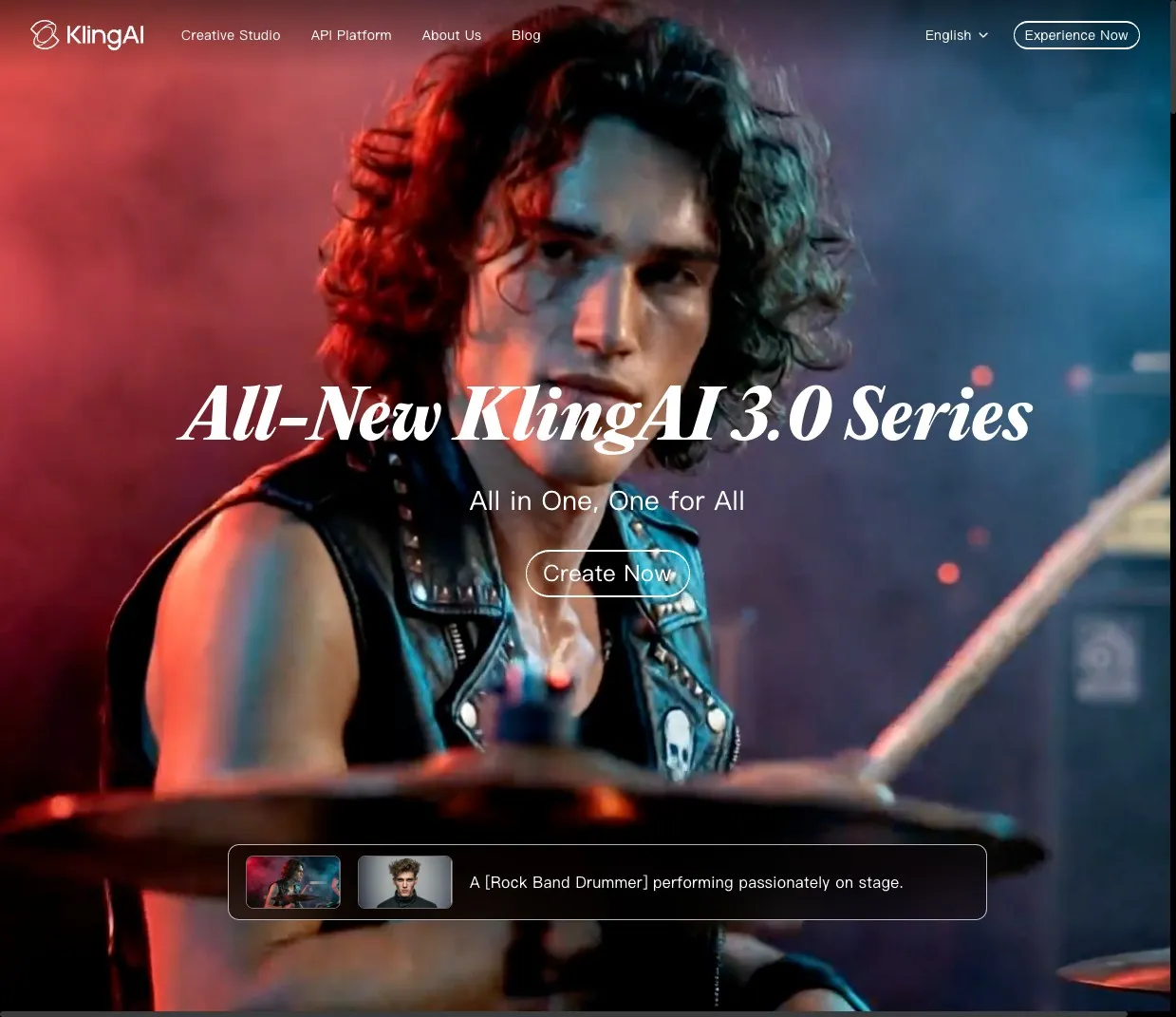
Kling AI homepage — click Image to Video to begin
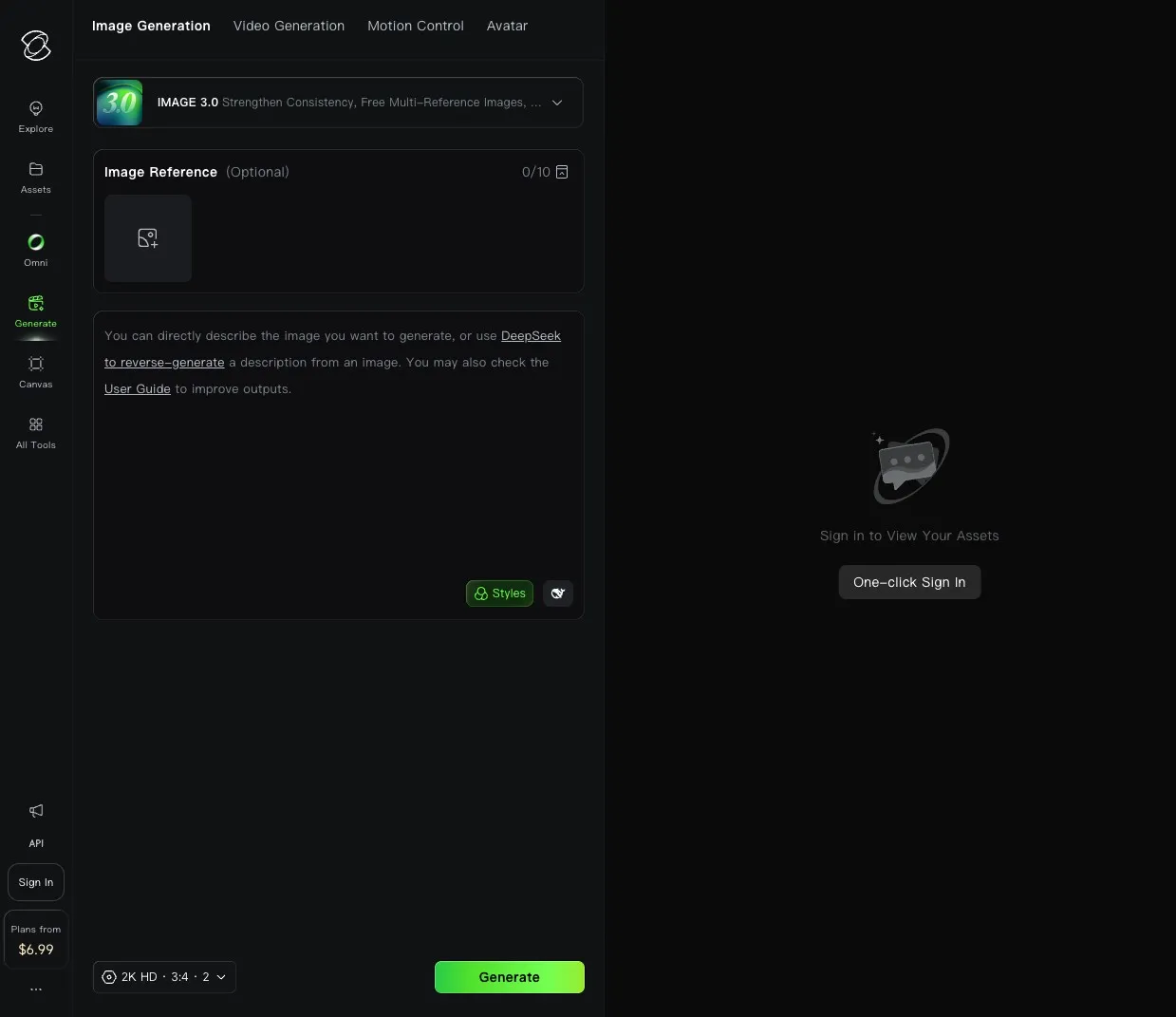
Upload your penguin image and optionally save it as a Character Reference for batch consistency
Image-to-Video Quick Workflow
- 1. Open PixVerse Image-to-Video — sign in with Google or email, then choose Image to Video on the dashboard
- 2. Upload your character image — the interface guides you through cleanup automatically
- 3. Select an animation style (chibi or anime style works best)
- 4. Export and add audio in CapCut
→ Need scene prompts to feed PixVerse? See the 50+ prompt collection.
PixVerse vs Kling AI at a Glance
PixVerse is better when:
- › Character consistency across multiple clips is the top priority
- › You want 15-second clips and pre-tuned motion templates
Kling AI is better when:
- › You want a fully-free tier with no paid commitment
- › Scene/environment shots matter more than character lock
Prefer a beginner-focused themed flow with guided model, prompt, and duration controls? See our HitPaw guide for that workflow.
Path 3: Pro Setup with ComfyUI + LTX
Best for: creators who want full control and batch generation
This path requires more setup but gives you the highest quality ceiling, full offline privacy, and the ability to generate dozens of clips in a single batch run. Expect 30–60 minutes of setup before your first output.
1. Install ComfyUI
2. Load the LTX 2.3 Video Workflow
- 1. Install the ComfyUI-LTXVideo custom node from the ComfyUI Manager
- 2. Download the LTX-Video 2.3 model weights from Hugging Face (search "Lightricks/LTX-Video")
- 3. Load the image-to-video example workflow and connect your character image to the input node
- 4. Set resolution to 512x896 for 9:16 TikTok output, steps to 25, CFG to 3.5
3. Add the Endmin Penguin LoRA
The Endmin Penguin LoRA from Civitai locks in the character's visual identity — the black-and-white costume, yellow beak, silver hair clips — so you get consistent results without rewriting your prompt for every generation.
- 1. Search "Endmin Penguin" on Civitai and download the LoRA safetensor
- 2. Place it in
ComfyUI/models/loras/ - 3. Add a LoRA loader node and set strength to 0.7–0.85 (higher = more character lock-in)
- 4. Use the trigger word from the Civitai model page in your positive prompt
Audio & Sound Design
The signature "gugu gaga" voiceover is what makes these irresistible. Three options depending on how much effort you want to put in:
Combine audio and video in any free editor: CapCut, DaVinci Resolve, or iMovie. CapCut is the fastest path if you're already on mobile.
Publishing for Maximum Reach
TikTok
- › Export vertical 9:16 at 1080x1920 — never upload horizontal
- › Hook in the first 3 seconds — cut straight to the penguin doing something cute
- › Use a trending sound as a second audio layer under your gugu gaga track
- › 15–30 seconds is the sweet spot for completion rate
YouTube Shorts
- › Max 60 seconds — anything longer won't show in the Shorts feed
- › Include "Gugugaga Penguin" in your title for search discoverability
- › Add an end screen card linking to your longer content or prompt page
- › Post within the first 2 hours of peak timezone (7–9pm local)
Instagram Reels
- › 30 seconds is the completion-rate sweet spot for Reels
- › Use the carousel format for behind-the-scenes: prompt screenshot + finished clip
- › Sticker poll ("which scene next?") drives saves and follow-through
Hashtag Stack
💡 Pro Tips from Top Creators
- Scene variety wins: Cooking, sleeping, chasing butterflies, getting poked — pick relatable everyday moments over abstract ones.
- Keep it 15-30 seconds: The sweet spot for TikTok virality. Shorts rewards under 60. Reels peaks at 30.
- Character consistency = brand: Same LoRA model or reference image across all your videos builds a recognizable series.
- Cross-IP mashups work: Combine the penguin with Ultraman, Death Note, or Godzilla for multi-fandom reach and higher shareability.
- Loop your clip: A clean loop (end frame = start frame) doubles perceived length and improves TikTok completion metrics.
- Batch on Sundays: Generate 7 clips in one ComfyUI session, schedule them with Buffer or TikTok's native scheduler, and go live daily without touching your workflow again.
Frequently Asked Questions
What AI tools can I use to make Gugugaga Penguin videos? ⌄
You can use PixVerse for image-to-video with strong character consistency (top pick), Seedance 2.0 for free generation, Kling AI for longer clips, or ComfyUI + LTX 2.3 with the Endmin Penguin LoRA for full local control. Each path has different trade-offs in speed, quality, and cost.
Can I make Gugugaga Penguin videos for free? ⌄
Yes. PixVerse and Seedance 2.0 offer free credits for image-to-video generation. Kling AI also offers a free trial tier, and ComfyUI + LTX is fully free if you have your own GPU.
How do I keep the penguin character consistent across multiple videos? ⌄
The most reliable method is using Stable Diffusion with the Endmin Penguin LoRA and reusing the same reference image, seed, and core prompt details across each new scene.
Is Gugu Gaga Penguin the same as Gugugaga Penguin in AI video searches? ⌄
Yes. Gugugaga Penguin and Gugu Gaga Penguin are two spellings for the same Endmin / Endministrator meme character, so the same image-to-video workflow applies to both.
What is the best video length for Gugugaga Penguin clips? ⌄
About 15 to 30 seconds is the safest range for short-form performance. For a first clip, start with a short generated scene, add the gugu gaga audio, and loop it once for a cleaner finish.
Is Gugugaga Penguin copyrighted? ⌄
The character originates from Arknights: Endfield and is associated with the Endmin Penguin design. Fan-made meme videos are often treated as non-commercial fan expression, but monetized or commercial use may require extra caution.
Get the Full Prompt Pack
50+ scenes built to keep your Gugugaga Penguin on-model, with character reference and setup notes. $5 one-time, instant download, 14-day refund.
Get the Pack — $5Single payment via Creem. Instant download. 14-day refund.
Prompts crafted with AI assistance, curated by human.